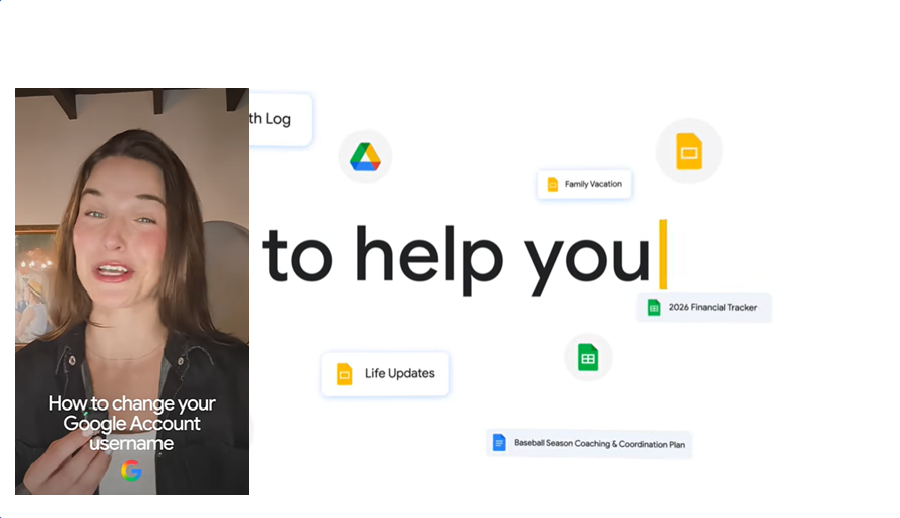
Google account holders who once picked regrettable usernames, whether knowingly or not and later found them unpleasant can now change them without risking access to their inboxes. Yes, after more than two decades since Gmail’s launch, the world’s largest email platform is finally introducing a major shift in how its service works.
When Gmail launched in 2004, an email address was essentially a single-purpose tool. Today, we use it for everything like, logging into Netflix, reading news, managing orders on Amazon, and handling nearly all online activity. Our primary Gmail account also unlocks the cloud services that store our photos and videos. So, allowing more flexibility in Gmail usernames is a logical step given how central these accounts have become.
How to change your old Gmail username
To update your digital identity to something that better reflects your preferences, open your Google Account settings and navigate to the Personal info section.
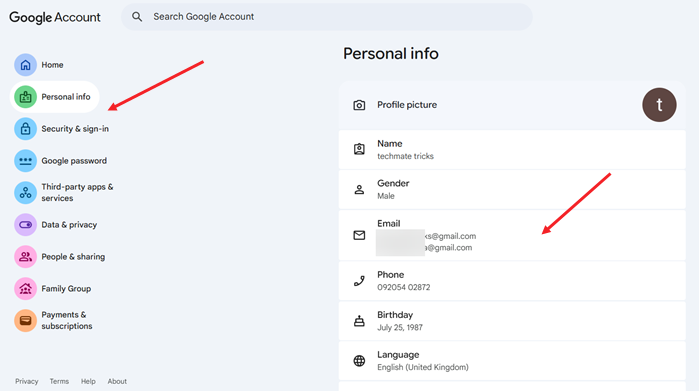
Scroll to the Email section, expand it, and open the option to manage the email addresses linked to your Google Account.
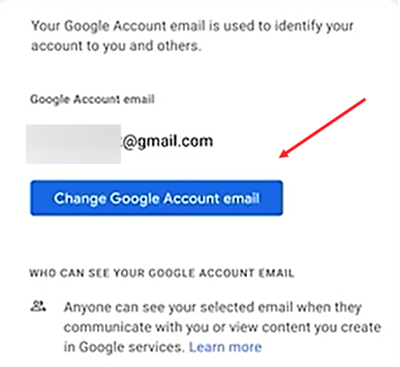
Select Google Account email, which is the address that identifies your account to you and others. Even though the description says you can’t change this address, you will see a Change Google Account button that becomes available when you tap or click it.
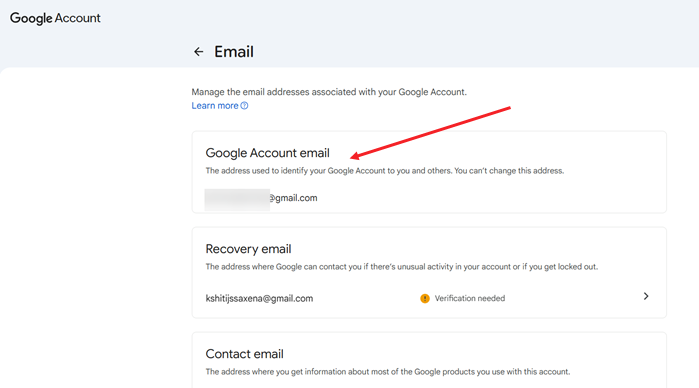
Review the statement shown before updating your email username. If everything looks correct, proceed with the change.
The new option that has been rolled out was in development since last year. Outlets such as The New York Times had already reported on it, and the company began quietly testing the feature, which members of a “Google Pixel Hub” Telegram group first noticed.
Note: This username-change option is now available to all Google Account users in the U.S. If you decide to change your email address, Google allows only one new address every 12 months.